How to View & Download Instagram DP in Full Size (HD)
Instagram shrinks profile pictures everywhere you look. Here is the easiest way to view and save any DP in its original full resolution.
Instagram compresses and crops profile pictures to a tiny circle — making it almost impossible to see them clearly. Whether you want to check a contact's photo or save a public profile picture for reference, there is a simple, safe way to do it in full HD.
Why Instagram Hides Full-Size Profile Pictures
Instagram intentionally limits the visibility of profile pictures to small circular thumbnails. This is a deliberate design choice — not a technical limitation. Even if you try to inspect the page source or right-click on a profile picture, you will only get a small, compressed version.
The full-resolution image exists on Instagram's servers, but accessing it requires knowing the right endpoint — and that is exactly what tools like DP Story Saver's DP Downloader do for you.
How to Download Any Instagram DP in HD
- Go to DP Story Saver DP Downloader — no account needed.
- Enter the username of the Instagram account. You can paste the full profile URL too.
- Click "Download DP" — the tool fetches the full-resolution profile picture instantly.
- Save the image to your device with one click.
The whole process takes under 10 seconds. Works on mobile and desktop.
Does the Account Owner Know?
No. This is the most common question we get, and the answer is clear: the account owner has absolutely no way of knowing you viewed or downloaded their DP. The tool fetches content from Instagram's servers anonymously — your IP address and identity are never sent to Instagram or visible to the profile owner.
Instagram's "seen by" feature only tracks story views and direct message reads — not profile picture views.
Works on Public Accounts Only
Instagram's privacy model means only public profiles can be accessed by third-party tools. If an account is set to private, their profile picture is not accessible via any tool — and that is correct. We respect Instagram's privacy settings fully.
Tips for Getting the Best Quality
- The quality of the downloaded DP depends on what the account owner originally uploaded. If they uploaded a high-resolution photo, you will get that same quality.
- Older accounts or accounts that haven't updated their profile picture recently may have lower-resolution images stored on Instagram's servers.
- The tool always fetches the highest available resolution — there is nothing more you can do to improve quality beyond what Instagram stores.
Frequently Asked Questions
Related Guides

How to Download Instagram Stories Anonymously (Without Them Knowing)
Want to watch someone's Instagram stories without appearing in their viewer list? Here is how to do it safely and anonymously.
ReadIs It Safe to Use an Instagram Story Viewer? (Honest Answer)
Not all Instagram story viewers are created equal. Here is exactly what separates a safe tool from a dangerous one — and how to protect yourself.
Read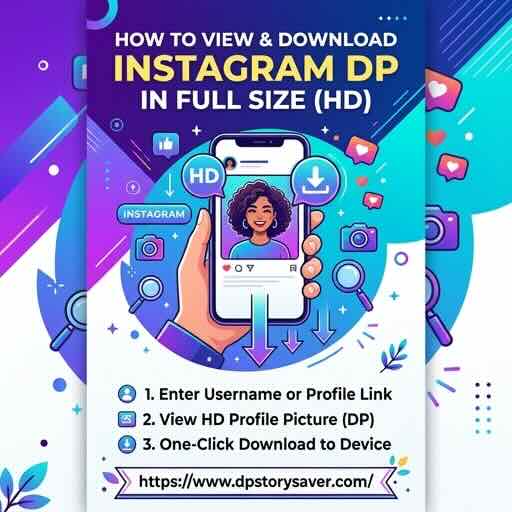
The Complete Guide to Instagram DP Downloader HD (2025)
A complete guide to downloading Instagram profile pictures in HD — what to look for in a downloader, common pitfalls, and how to get the best results.
Read